
How to Automate Job Applications with AI in 2026 (Step by Step)
A step-by-step guide to automating job applications with AI in 2026: build the master profile, set targeting and match thresholds, automate tailoring and submission, stay compliant with LinkedIn and Indeed rules, and tune the funnel weekly.
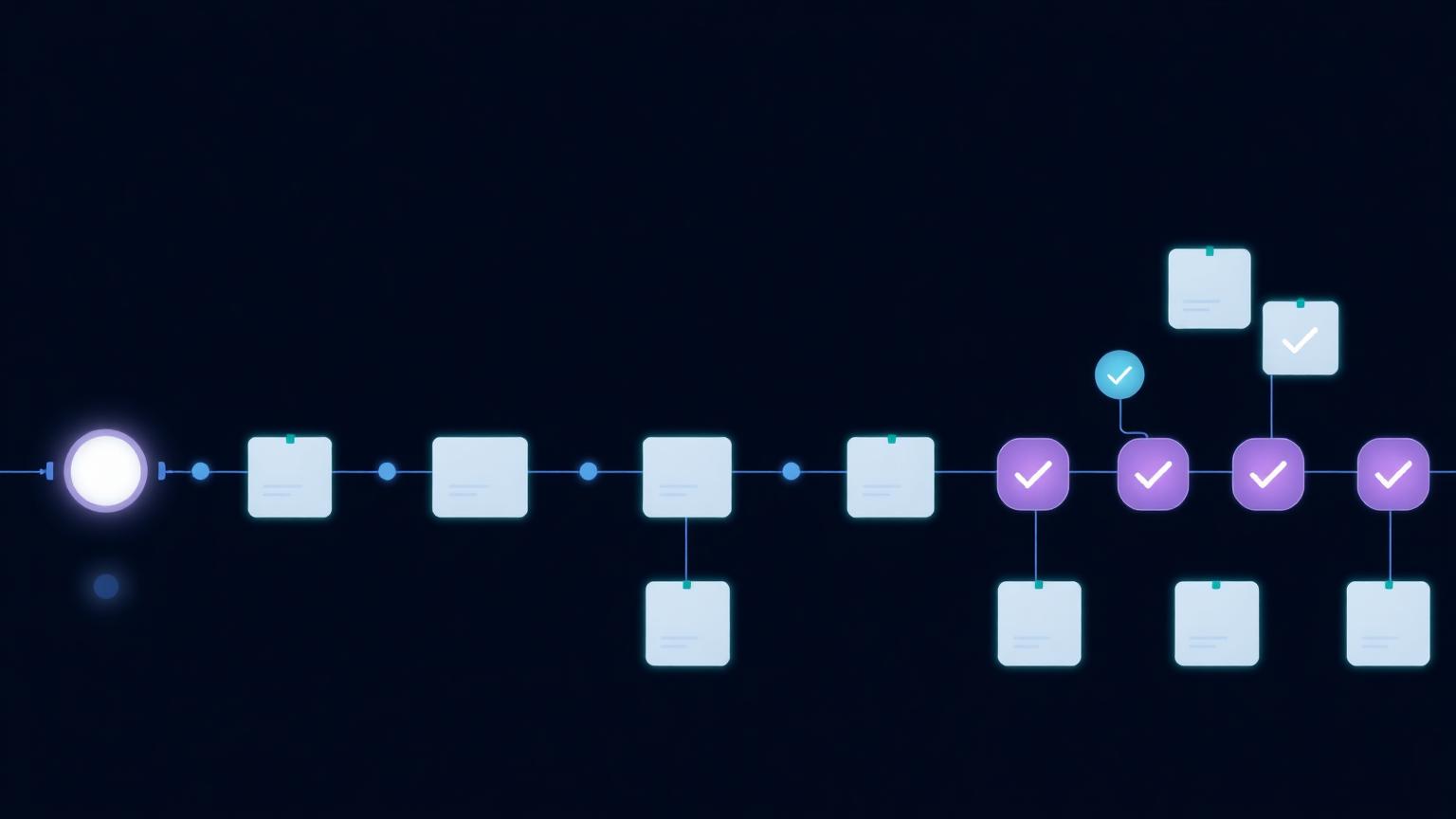
To automate job applications with AI, give an AI career agent one accurate master profile — full resume, one target title, seniority band, salary floor, and location or remote preference. The agent then runs six automated jobs: discovering and deduplicating new postings daily, scoring each against your real experience, auto-submitting applications above a ~75% match threshold with a resume and cover letter tailored to each posting, answering standard screening questions from a pre-approved profile, and logging every outcome. Keep a human review step for borderline matches (60-75%) and always-manual roles like dream companies and referrals. Expect about 30 minutes of setup and 20 minutes of review per day, with tailored automated applications converting to first-round interviews at roughly 6-9% versus 1-2% for generic sends.
- Automation works on six jobs: discovery, match scoring, resume/cover letter tailoring, screening answers, submission, and tracking.
- Setup is ~30 minutes: a complete master resume, one narrow target (title, seniority, salary floor, location), and a ~75% match threshold.
- Keep humans in the loop for borderline matches, dream companies, referrals, and negotiation — automate the clear-fit 70%.
- Hosted AI career agents are compliant; browser bots that drive your logged-in LinkedIn or Indeed session are not.
- Automated-but-tailored applications convert at ~6-9%; automated-and-generic ones convert at 1-2% and risk filters.
- Agent Auto Hire runs the full automated loop, starting with a free AI resume optimization — no card required.
What "automating job applications" actually means in 2026
Most people picture automation as a bot blasting the same resume to a thousand postings. That version exists, and it's why "auto apply" has a mixed reputation: it converts at roughly 1–2% and can get your accounts flagged. The version that works is different. Real application automation means an AI career agent handles the six repeatable jobs of a job search — discovery, match scoring, resume and cover letter tailoring, screening answers, submission, and tracking — while you keep the judgment calls. You spend about 20 minutes a day reviewing; the machine does the rest.
The six jobs you can safely automate
- Discovery — scanning job boards and company pages daily, deduplicating reposts, and surfacing only roles posted recently enough to matter.
- Match scoring — comparing each posting against your actual experience and producing a score with an explanation of the gaps. The most valuable output is often "don't apply."
- Resume tailoring — rewriting your resume per posting, mirroring the job description's vocabulary without inventing anything. This is what lifts conversion from 1–2% to 6–9%.
- Cover letters — a short, company-specific letter per application, not a template with the name swapped.
- Screening answers — work authorization, salary range, start date, years per skill — answered consistently from a profile you approve once.
- Submission and tracking — applying through official application flows and logging every outcome so you can tune targeting weekly.
Step 1: Build the master profile (30 minutes, once)
Automation amplifies whatever you feed it. Your master resume needs every role with dates, tools, and quantified outcomes — complete and accurate, because the AI must treat it as ground truth and never invent skills or metrics. If it isn't there yet, run an AI resume rewrite first. Alongside the resume, set one narrow target: one job title, one seniority band, a salary floor, and one location or remote preference. Two different tracks means two campaigns, not one fuzzy one.
Step 2: Set the match threshold — the automation's brain
This is the setting that separates automation from spam. A threshold around 75% works well for most seekers: clear fits get submitted automatically with tailored documents, borderline roles (60–75%) wait in a review queue for your daily 20 minutes, and poor fits never go out. If your automation applies to everything it finds, you haven't automated a job search — you've automated a rejection engine.
Step 3: Decide what stays manual
Automate the clear-fit 70% of roles. Keep four categories manual: dream companies (every word matters), referrals (a personal introduction beats any document), executive roles, and salary negotiation. Also review your screening-answer profile once during setup — work authorization, salary expectations, availability — so the agent never overstates anything on your behalf.
Step 4: Choose compliant automation, not a browser bot
The method matters more than the volume. Browser bots — extensions and scripts that drive your logged-in LinkedIn or Indeed session and click at machine speed — violate platform terms and are the leading cause of restricted accounts. Hosted AI career agents prepare tailored documents and submit through official application flows at human pace; that's the compliant pattern. Our Easy Apply bot breakdown maps exactly where the line sits, and our mass-applying guide covers safe daily volume (8–15 tailored applications per weekday).
Step 5: Review the funnel weekly
Automation without a feedback loop drifts. Once a week, check three numbers: response rate by job title (kills or doubles down on targets), screen-to-interview conversion (tells you if screening answers need work), and where borderline-queue roles ended up (tells you whether to raise or lower the threshold). Ten minutes of weekly tuning is what keeps automated applications converting at 6–9% instead of decaying toward 1–2%.
What a day of automated applying looks like
Morning: the agent has already scanned overnight postings, scored them, and submitted anything above your threshold with a tailored resume and cover letter. Your 20 minutes: approve or reject the borderline queue, respond to any recruiter replies, glance at the tracker. That's the whole job. For the broader system around this, see our guide on using AI to find a job.
Mistakes that break job application automation
- Automating a weak resume — a bad resume sent 500 times is still a bad resume.
- No match threshold — applying to everything is spam, not strategy.
- Targeting five job titles at once — no single resume version is ever strong.
- Browser bots at inhuman speed — the fastest route to a restricted account.
- Letting AI invent experience — one fabricated bullet can end an offer.
- Never reviewing outcomes — automation without tuning drifts off-target within weeks.
Start automating your applications
Create a free Agent Auto Hire account, upload your resume, and get a free AI optimization with an ATS score — no card required. When you're ready, Auto Apply on the Pro and Advanced plans runs the full automated loop: discovery, match scoring, tailored resumes and cover letters, screening answers, compliant submission, and tracking — so your job search runs itself while you prep for the interviews it books.
Frequently asked questions
How do you automate job applications?+
Give an AI career agent an accurate master resume plus one narrow target: job title, seniority, salary floor, and location or remote preference. Set a match threshold around 75% so the agent auto-submits clear fits with a tailored resume and cover letter per posting, queues borderline roles for your review, answers screening questions from your pre-approved profile, and logs every outcome. Setup takes about 30 minutes; ongoing review takes about 20 minutes a day.
Can you automate job applications with AI?+
Yes. AI can automate discovery of new postings, deduplication, match scoring against your real experience, per-job resume and cover letter tailoring, screening-question answers, submission through official application flows, and outcome tracking. What it can't do is interview for you or make judgment calls on dream roles — which is why the best setups keep a human approval step for borderline matches.
Is it legal and safe to automate job applications?+
Automating applications is legal, and most employers accept AI-assisted applications when the content is accurate. Safety depends on the method: hosted AI career agents that submit through official application flows at human pace are compliant, while browser bots that drive your logged-in LinkedIn or Indeed session violate platform terms and are the leading cause of restricted accounts.
How many applications can I automate per day?+
Eight to fifteen well-matched, tailored applications per weekday is the sweet spot. Below five a day the search drags; above 20-30 a day match quality collapses and you risk job-board rate limits. Automation should increase tailoring at scale, not just raw volume — if your tool sends 40+ applications daily, your filters are too loose.
Do employers reject automated or AI applications?+
Employers reject generic applications, not automated ones. Recruiter surveys consistently show most hiring teams accept AI-assisted resumes and cover letters when the content is accurate. A tailored automated application — mirroring the posting's vocabulary, grounded in your real experience — is indistinguishable from a careful manual one, which is the entire point.
What parts of the job application should I NOT automate?+
Keep four things manual: applications to dream companies where every word matters, roles involving a personal referral, executive positions, and salary negotiation. Also review your screening-answer profile once during setup so nothing is ever overstated. Automate the clear-fit 70%; relationships and judgment win the rest.
What's the difference between an AI career agent and an auto-apply browser bot?+
A browser bot is a script or extension that drives your logged-in LinkedIn or Indeed session and clicks at machine speed — it violates platform terms and sends the same generic resume everywhere. An AI career agent is a hosted service that discovers roles, scores fit, writes a tailored resume and cover letter per posting, and submits through official application flows at human pace. The first gets accounts restricted; the second gets interviews.
How much does it cost to automate job applications?+
Agent Auto Hire starts free: every new account gets one full AI resume optimization with an ATS score, no card required. Full application automation runs on paid plans — Basic at $9/month, Pro at $29/month with AI cover letters and higher limits, and Advanced at $49/month with the highest limits and priority processing.
We build the AI career agent behind Agent Auto Hire — resume optimization, ATS scoring, job matching, and review-before-submit Auto Apply. Everything here comes from data across real applications processed on the platform, not theory.
Let Agent Auto Hire do this for you
Upload your resume and get an AI-optimized version free. Then let our AI agent match jobs and auto-apply for you.
Start free